50+ Best Sims 4 Hair CC Packs (2026) — Custom Content You’ll Actually Use
Let’s be honest — base game Sims 4 hair is fine for about the first ten hours you spend in Create-a-Sim. After that, you start noticing the same six ponytails on every townie, and something in you just… needs better. If you’ve spent any time scrolling through Sims CC creators wondering which hair packs are actually worth the download, you’re in the right place.
This list pulls together the hair CC that’s genuinely holding up in 2026 — not just what’s trending on one creator’s Patreon this week. We’re covering both Maxis Match (MM), which blends into the game’s cartoonish art style, and Alpha CC, which leans more photorealistic and textured. Whether you’re building a Sim with soft natural curls, a sharp editorial bob, or something a dragon would wear into battle, there’s something here for you.
By the end of this guide, you’ll know exactly which hairstyles to grab for different Sim aesthetics, how to tell good CC from CC that’ll break your game, and where the best creators are still active and updating their work.
What Makes Sims 4 Hair CC Actually Good (Not Just Popular)
Before we get into the list, it helps to know what separates hair CC that looks great in a preview photo from hair CC that looks great in your actual save file.
Mesh Quality Over Screenshot Appeal
A lot of hair CC photographs beautifully in a static pose with perfect lighting and falls apart the second your Sim runs, dances, or gets caught in the rain. Good mesh quality means the hair moves naturally with your Sim’s animations instead of clipping through their shoulders or floating stiffly above their head.
Texture Compatibility
This is the difference between Maxis Match and Alpha at a technical level. MM hair uses flatter, more stylized textures that match the game’s default look. Alpha hair uses higher-resolution, more realistic textures — gorgeous on their own, but they can look strange next to base-game skin and features unless your whole Sim is built in an Alpha style. Knowing which lane you’re building in saves a lot of trial and error.
File Size and Game Performance
Some hair packs — especially heavily detailed Alpha sets — come with large texture files. If you’re already running a mod-heavy save, it’s worth checking file sizes before you download fifteen packs in one sitting. Nothing kills a play session faster than a save that takes four minutes to load.
Best Maxis Match Hair CC for Everyday Sims
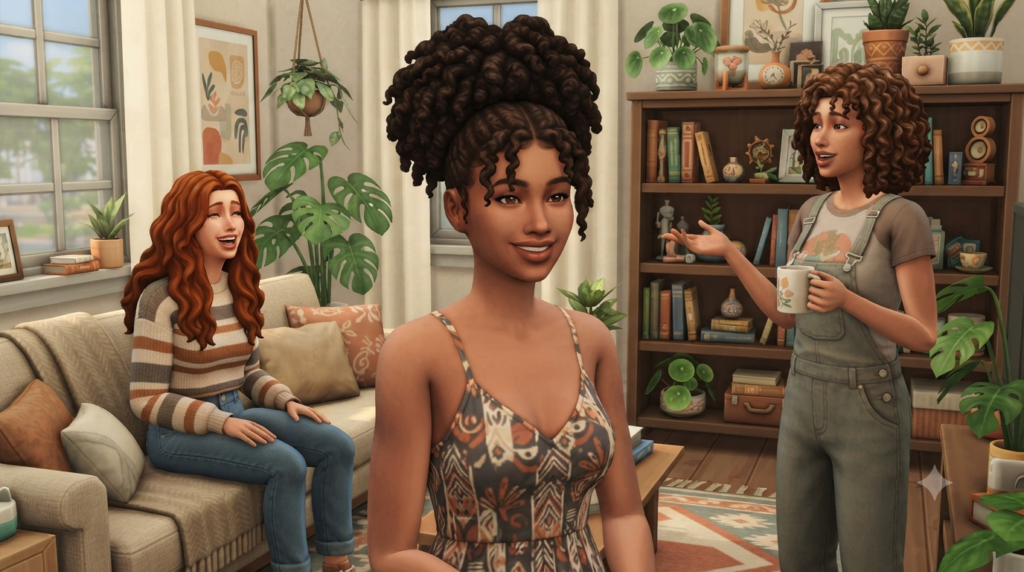
If your Sims world leans toward realistic, slice-of-life storytelling, Maxis Match is almost always the better fit. It sits naturally alongside base-game content and other MM CC without looking out of place.
Natural Curls and Coily Textures
This has been one of the biggest gaps in base-game Sims 4 hair for years, and creators have stepped up to fill it. Look for packs that offer genuine curl definition and volume rather than a straight mesh with a curly texture painted on top — the difference is obvious once you see it in-game. The best sets in this category include multiple length options and work well across a wide range of face shapes.
Everyday Bobs, Lobs, and Layered Cuts
Not every Sim needs a dramatic look. Some of the most-downloaded CC packs are simple, wearable haircuts — a shoulder-length lob, a blunt bob, soft layers — because these are the styles players actually put on their Sims for daily life, work outfits, and family photos.
Messy Buns, Braids, and Updos
For Sims who are busy raising toddlers or working night shifts at the hospital, practical hairstyles matter. Messy bun packs and simple braid sets consistently rank among the most-used CC because they fit so many life stages and situations.
Best Alpha Hair CC for Realistic Sims Builds
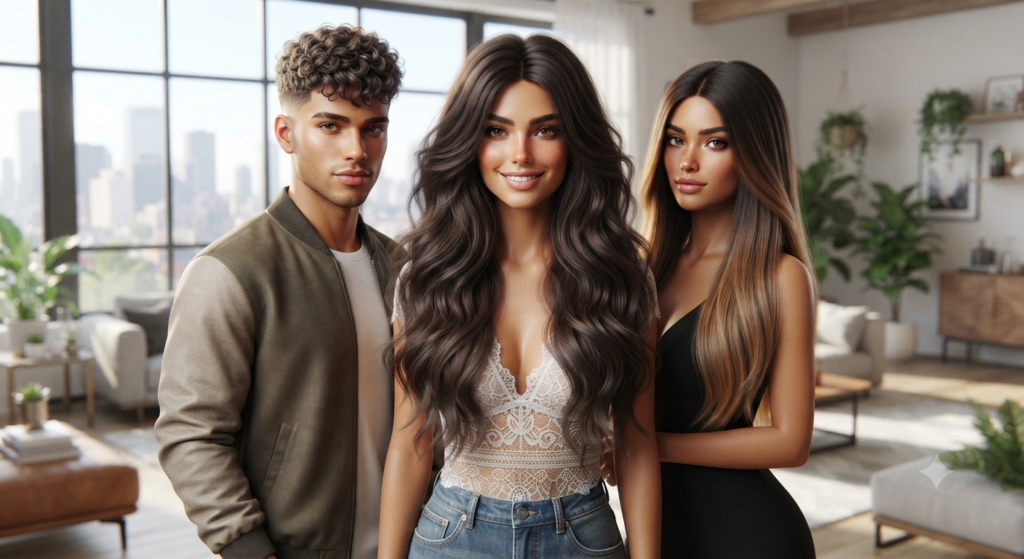
If you’re building toward a more photorealistic save — often paired with Alpha skins, realistic eyes, and detailed CAS overrides — Alpha hair CC is where you’ll get the most convincing results.
Long, Layered, and Textured Styles
Alpha creators tend to excel at long hairstyles with visible strand detail and realistic shine maps. These packs often include physics-based movement, so hair sways and bounces in a way that MM hair typically doesn’t attempt.
Short and Textured Men’s Cuts
Men’s hair CC has historically lagged behind women’s options, but this has improved a lot. Fades, textured crops, and short curly styles with genuine volume are now widely available in Alpha quality, giving male Sims the same range that’s long existed for female Sims.
Wavy and Beach-Texture Hair
Beachy waves are a small category but a mighty one — these packs are popular for vacation-world saves and warm-climate Sims, offering natural movement without looking overly styled.
Bold and Fantasy Hair CC for Occult and Creative Sims
Not every Sim is going for realism. If you play with vampires, spellcasters, aliens, or just love a dramatic color story, this category is where Sims CC gets genuinely fun.
Vibrant Color and Ombré Packs
Pink-to-purple gradients, split dye looks, and neon color sets are staples for Sims with bold personalities. Many of these come with swatch options so you can tone the intensity up or down depending on your Sim’s vibe.
Fantasy and Sci-Fi Styles
Braided crowns fit for a fantasy queen, gravity-defying spellcaster hair, and sleek futuristic cuts for alien Sims all fall into this category. These tend to be lower-poly than realistic hair since they’re built for visual impact rather than blending in.
Extreme Length and Statement Hair
Floor-length hair, oversized afros, and dramatically voluminous styles exist mostly to make a statement in CAS. They’re not always practical for gameplay animations, but they’re some of the most-screenshotted CC out there for a reason.
Kids, Toddlers, and Teen Hair CC That’s Often Overlooked
A huge amount of hair CC content focuses on adult Sims, which leaves toddlers and kids stuck with limited base-game options. A few creators specialize specifically in child and toddler hair, and their packs are worth prioritizing if you’re running a family-focused save. Look for sets that scale properly across age stages, since hair that looks great on a teen can sometimes look oddly oversized on a toddler if it wasn’t rigged correctly for that body frame.
How to Choose the Right Hair CC for Your Save
With thousands of hair packs available, narrowing things down comes down to a few practical questions.
What’s your Sim’s overall style — MM or Alpha?
Mixing the two isn’t forbidden, but it usually looks best when you commit to one style per Sim, or at least per household, so the proportions and textures stay consistent.
Does the pack include enough color swatches?
A beautifully sculpted hairstyle with only three color options is far less useful long-term than one with fifteen. Check the creator’s post for swatch previews before downloading.
Is the creator still active?
Active creators tend to patch their CC when game updates cause issues. CC from creators who’ve gone inactive can still work fine, but it’s more likely to develop small glitches after major patches.
Frequently Asked Questions
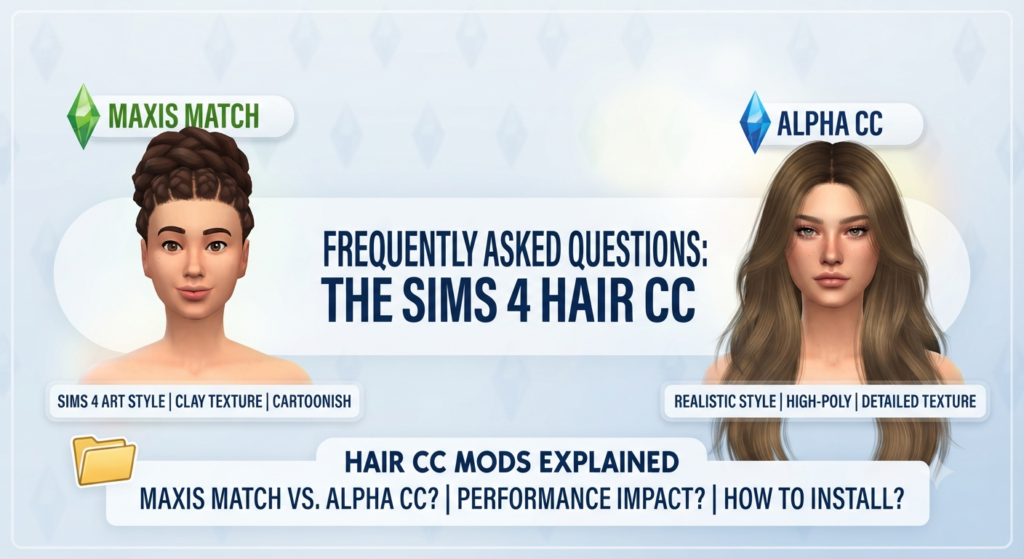
What’s the difference between Maxis Match and Alpha CC?
Maxis Match hair is styled to match the Sims 4’s default cartoonish art direction, with flatter textures and simplified shading. Alpha CC uses higher-resolution, more realistic textures and is typically paired with Alpha skins and features for a photorealistic build.
Will too much hair CC slow down my game?
It can, especially with high-resolution Alpha packs. Keeping your CC folder organized, removing packs you no longer use, and checking file sizes before downloading in bulk all help keep load times and in-game performance manageable.
Can I use Maxis Match and Alpha hair on the same Sim?
You can, but it often looks inconsistent since the texture styles don’t blend seamlessly. Most builders get the best results by picking one style and applying it consistently across a Sim or household.
Where do I put downloaded hair CC files?
Hair CC files go into your Mods folder, typically found at Documents/Electronic Arts/The Sims 4/Mods. Make sure “Script Mods Allowed” and custom content are both enabled in your game settings, or the hair won’t show up in CAS.
Why is my downloaded hair not showing up in Create-a-Sim?
The most common causes are custom content being disabled in game settings, the file being placed outside the Mods folder, or the Mods folder being nested too deep (Sims 4 only reads a limited folder depth). Double-checking these three things resolves the issue most of the time.
Final Thoughts
Good hair CC changes the way your Sims look, feel, and photograph — and with the sheer volume of talented creators still active in the community, there’s genuinely no reason to settle for base-game options in 2026. Start with one or two categories that match your current save’s vibe, whether that’s natural everyday looks, realistic Alpha styling, or full fantasy drama, and build your collection from there.
Looking for more ways to level up your Sims 4 builds? Check out our guides on the best Sims 4 custom content wallpapers and profile pictures to keep your whole game looking cohesive from CAS to build mode.

Post Comment